
 GX0TRG

How it works
Software Defined Radio (SDR) turns a home computer into Receive-Only (RX) Amateur Radio. It still needs coax to connect to a real HF antenna in the garden and a real VHF/UHF antenna on the roof. Not everybody can afford a quality multi-band radio, especially when they are new to Amateur Radio, so a TARG member has, very generously, connected his SDR radios to the internet so other TARG members can use them.
The TARG SDRs are located in Basildon so what you hear will depend on the quality of the radio reception in Basildon at the time. You will learn how reception of different HF wavelengths depends on the time of day, limitations of VHF over distance, and that UHF connects to Digital Mobile Radio (DMR) with international capability.
The VHF/UHF SDR is ideal for anyone who lives outside range of the GB3DA repeater which uses VHF on the 2nd and 4th Friday night nets, and UHF for our Digital Mobile Radio net on the 3rd Friday of each month.
Please note: There are currently some compatibility issues with Google Chrome Browser, and we recommend using Firefox Browser instead.
To use the SDRs, contact the TARG Secretary to be given a password (TARG Members only).
Which SDR to Use
- SDR 1: All Bands and All Modes:
- SDR 2: HF and All Modes
- SDR 3: High Performance All Bands and All Modes*
*Note: a consequence of High Performance is that it can take up to a minute to load, so be patient.
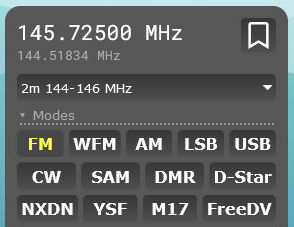
Terms and Conditions of use:
- Only to be used by TARG members. Close the page when finished.
- Automatic timeout after 45mins after which you can reconnect.
- These links must not be shared outside the TARG community.
- For the SDR to work your IP address is recorded every time you connect (necessary cookie).
- Misue may result in your IP being blocked from this and other SDRs around the world.